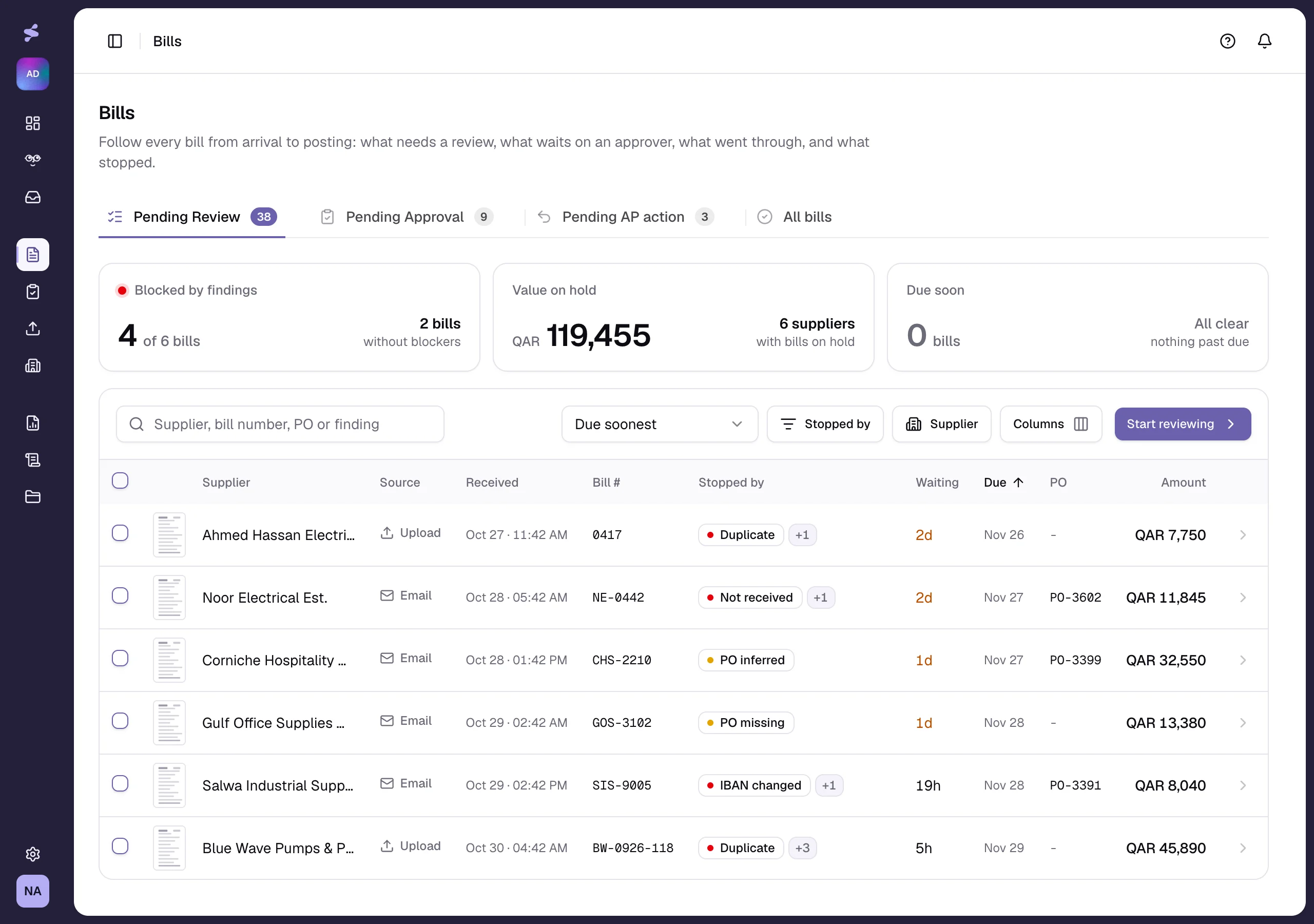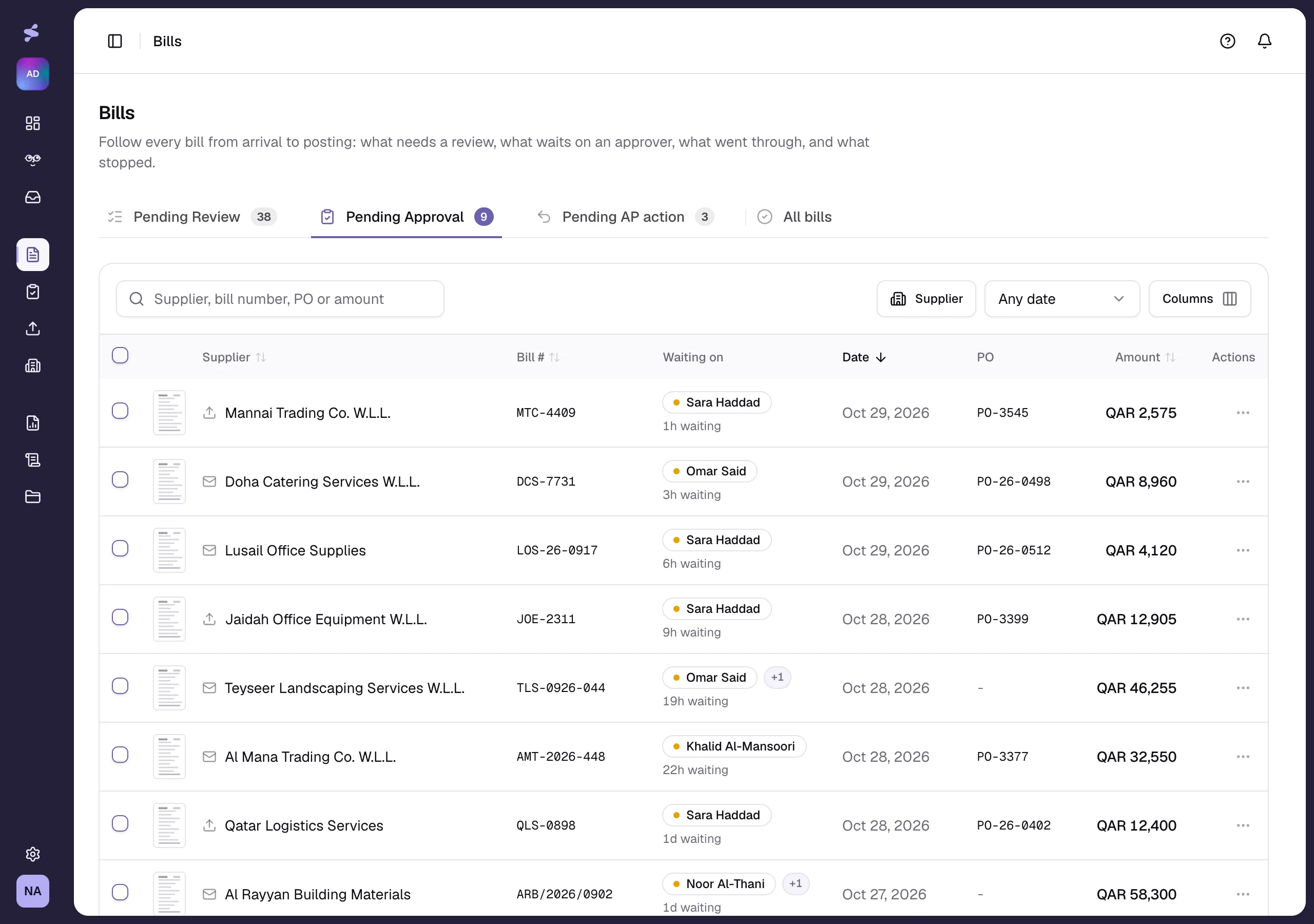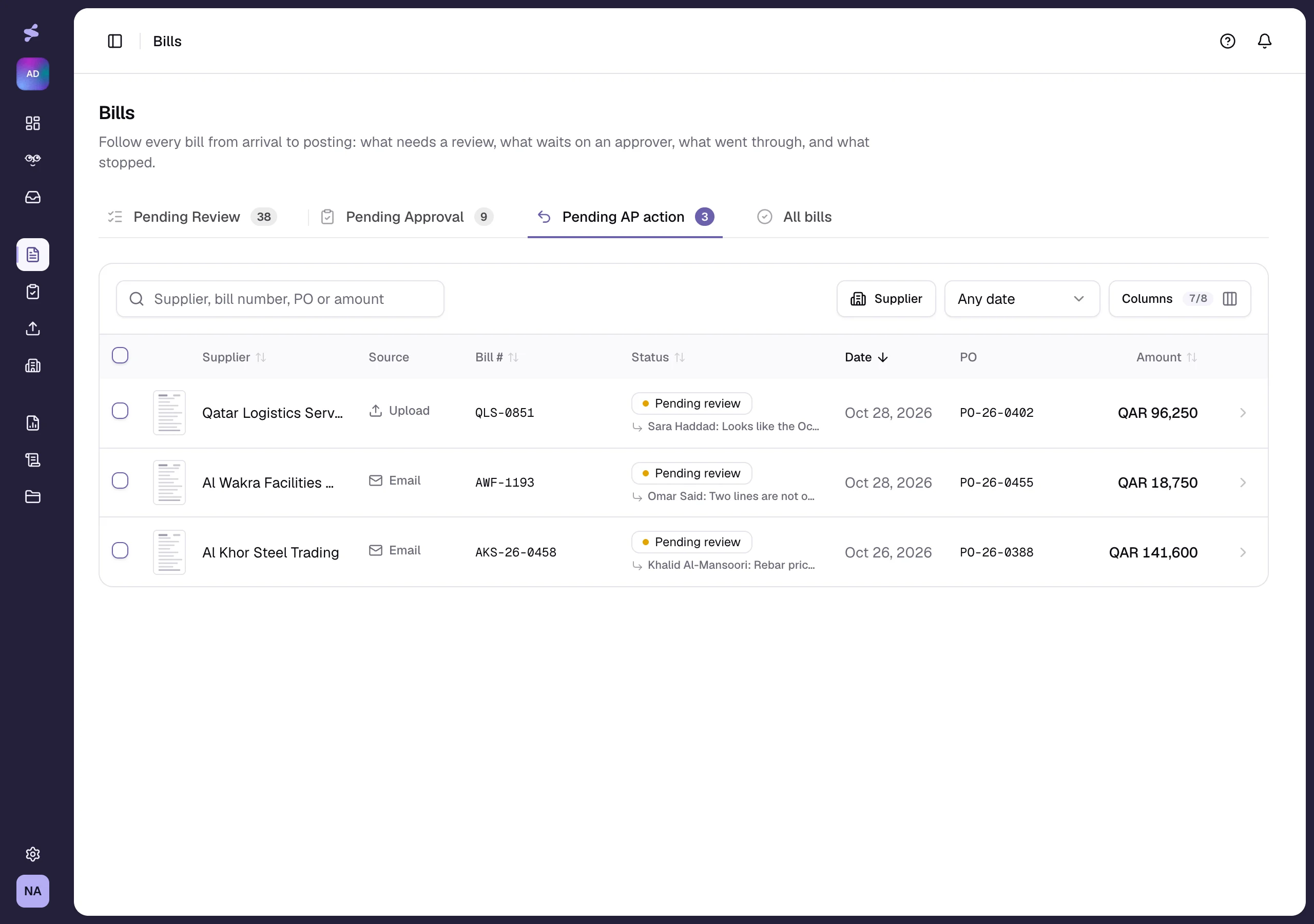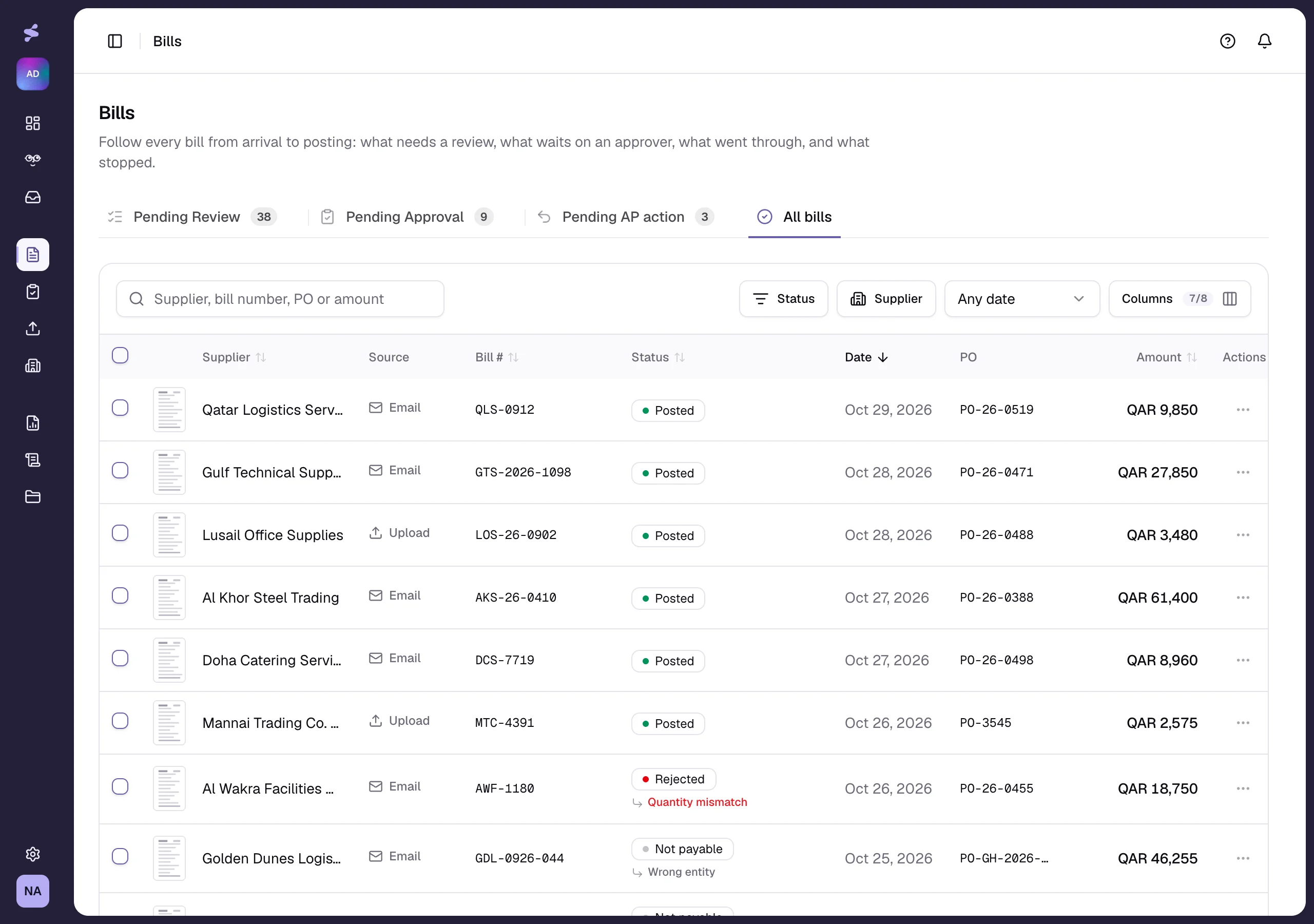




AI Native Accounts Payable Platform

The AI platform for finance teams that replaces manual work with answers you can trust

Backed by

The programmes FinTria AI is built and licensed within.

Qatar Financial Centre

Licensed in the QFC

NVIDIA Inception Program

Inception member

AWS Startups

Startups programme

Capabilities

Everything accounts payable needs in one place.

Ask your payables anything, in plain language. Finance Copilot answers with the bills behind it, and the work can be done right there: approve what is ready, leave what has a warning.

Finance Copilot

Answering

Every bill is checked before anyone sees it. Duplicates, missing purchase orders, changed bank details, goods not yet received: each one stopped and named, with the reason beside it.

Needs review

Checked

Routine processes that run without supervision. Assemble a flow from triggers, actions and conditions. Repetitive work completes on its own, and anything needing judgement is held for review.

Workflow

Running

Automated

Human in the loop

84%16%approvedrefused in review

New bill

2/3-way match

PO, receipt, duplicate

Auto-approve

inside tolerance

Review

findings attached

Approval

by amount band

Posted to Odoo

or your ERP

Returned

with a reason

Sync. One-click sync with QuickBooks, Xero, and NetSuite. AI codes every transaction to the right GL account automatically.

Integrations

Running
Use cases

Who it's for, and what they get

Match every PO invoice without a person in the loop.

Quantity, price and freight tolerances are yours to set. Inside them an invoice posts itself; outside them the approver gets the PO, the receipt and the delta already attached.

Read the case study→
Show me the invoices that failed three-way match this week...
how it works

FinTria AI connects your ledger, answers anything you ask, and shows the bill behind it

Accounting system sync

Approved bills post into SAP, NetSuite, QuickBooks or Xero, matched to the order. When a bill needs someone, they hear about it in Outlook, Slack or Teams.

Set your policies

Define spend limits, approval workflows and budget rules for every team and role. Bills inside the rules move on their own; the rest wait for a person.

Invite your team

Invite your team and give each person a role: AP Processor, Bill Approver, Finance Approver, Auditor. What they can see and sign follows the role, per entity.

Built to scale

Run at any scale. Production-grade for your team and agents.

$9.84

what a manually processed bill costs

8.2 days

the average bill spends in processing

84%

of an AP team's time goes to manual work

$133K

the average loss per bill fraud incident

Security & compliance

Your data stays yours

Enterprise-grade security, full visibility, and human approval on every action.

Every action logged

Encrypted end to end

Never used to train AI

Identity & permissions

Every action tied to a person, every person to a role

Role-based access

Finance leads, approvers, accounts payable and administrators each see only what their role needs.

SSO / SAML

Single sign-on through Google, Microsoft Entra ID or any SAML 2.0 provider.

MFA

Multi-factor authentication is mandatory for administrators and finance leads.

What you get

FinTria AI takes the repetitive half of the process and leaves the decisions with your team.

Faster answers

Anyone can ask which bills are overdue or who is holding one, instead of waiting on the one person who knows the ledger.

Nothing gets missed

Set a tolerance or a due-date rule once and FinTria AI watches it, so the right person hears before a bill becomes a problem.

You stay in control

Every automated step can be reviewed and approved first, and nothing posts to your ERP without your permission.

Have questions? Find answers.

How do invoices get into FinTria AI?

Two ways: suppliers email them to a dedicated invoice address for your entity, or your team uploads PDFs and scans directly. Either way, AI extraction starts the moment the document lands.